An actionable dashboard for pharmacy staff

Project scope
Design a central screen where pharmacy employees can
quickly orient themselves and take productive action.
Minimal interest in metrics.
My role
Initial research & design lead
Conducted testing & feedback sessions with customer advisory board and internal experts
Tools
Figma, Figjam, Lucid Charts
Slack, Aha!, Jira
Video recordings of testing & feedback
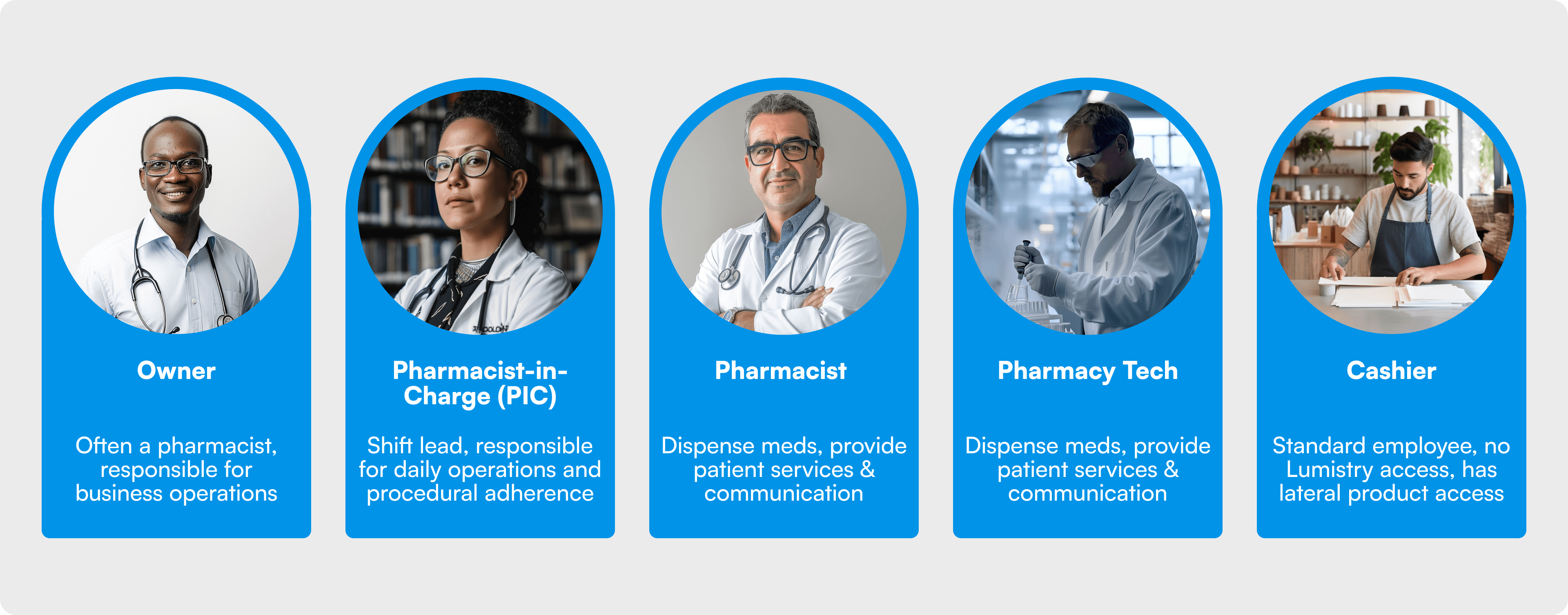
Pharmacy personas
Research
The product team included four in-house expert pharmacists and numerous pharmacy interns on rotations. We met monthly with a Customer Advisory Board (CAB) consisting of our existing top performers and industry connections to gain direct insights and feedback. I worked closely with engineering counterparts throughout development and often relied on their expertise for implementation.
Usability testing was conducted with both in-house experts and the CAB. Our design system was inspired by multi-product systems such as Vrbo/Expedia, Atlassian, and Carbon. I also studied HTML, CSS, React, and Untitled UI.
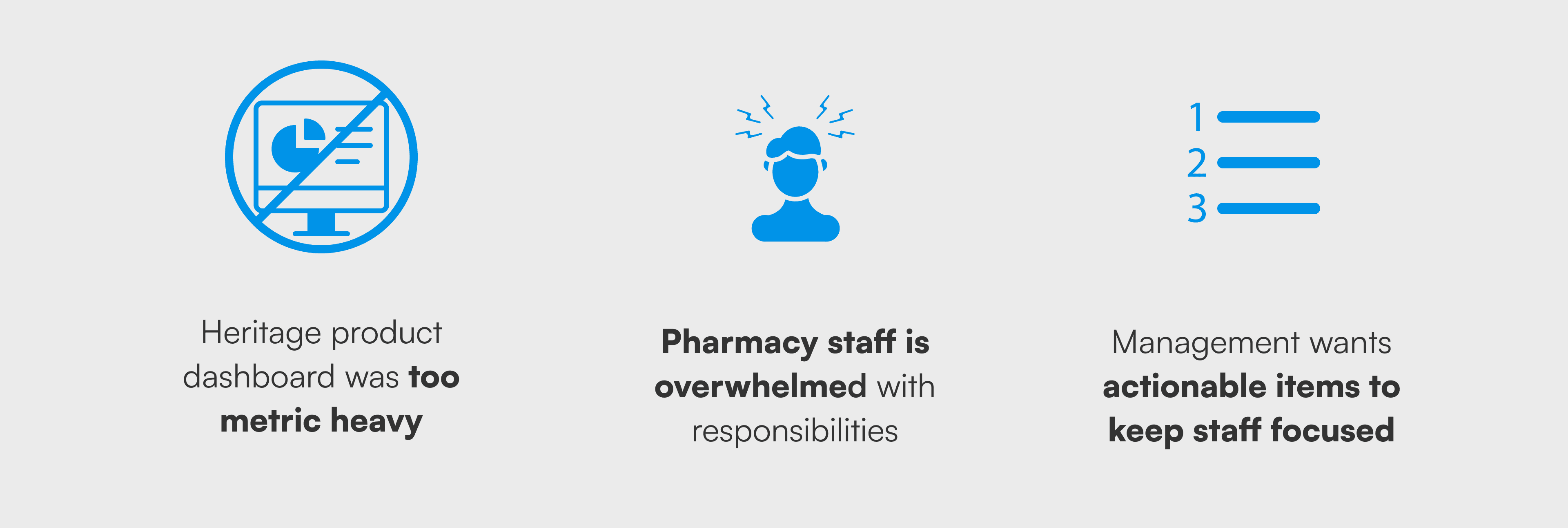
Key takeaways
Problem statement
Pharmacy staff needs an quick and intuitive way of orienting themselves and immediately contributing to the work happening in the pharmacy in order stay competitive.
My approach
I was given a lot freedom for this work, the product manager on it provided minimal requirements. Unlike much of the platform which takes a “brown-field MVP” approach, I opted for more traditional MVP strategy. I offered simplified features that could be made more complex as we gained better understanding of user needs. I also decided not to add anything new to the product and pulled from features we’d already validated as solving problems experienced across the industry. I really saw the dashboard as an opportunity to start combining major feature sets which had previously existed separately such as Task management, Unified Communications, Appointments, and Forms.
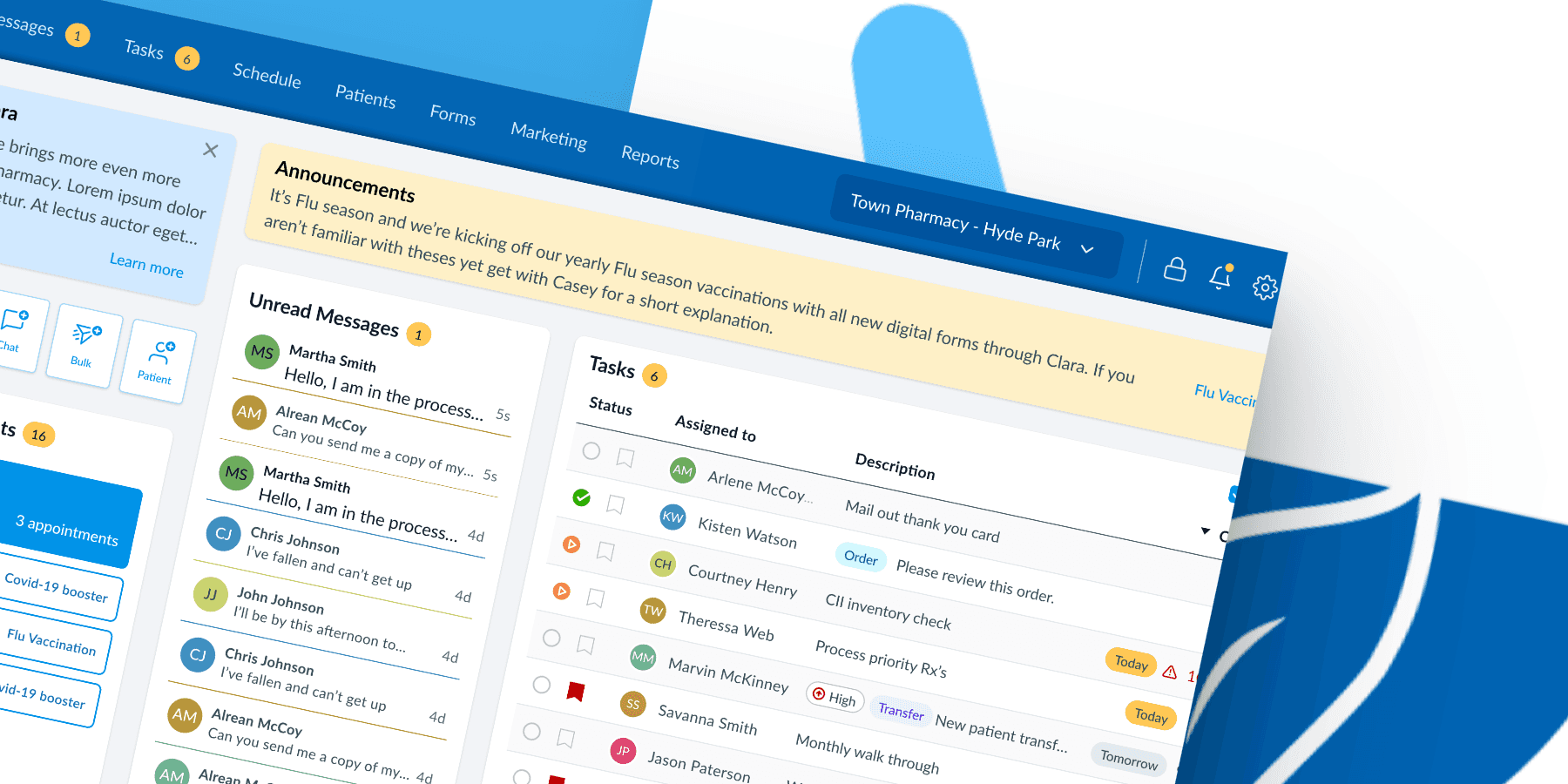
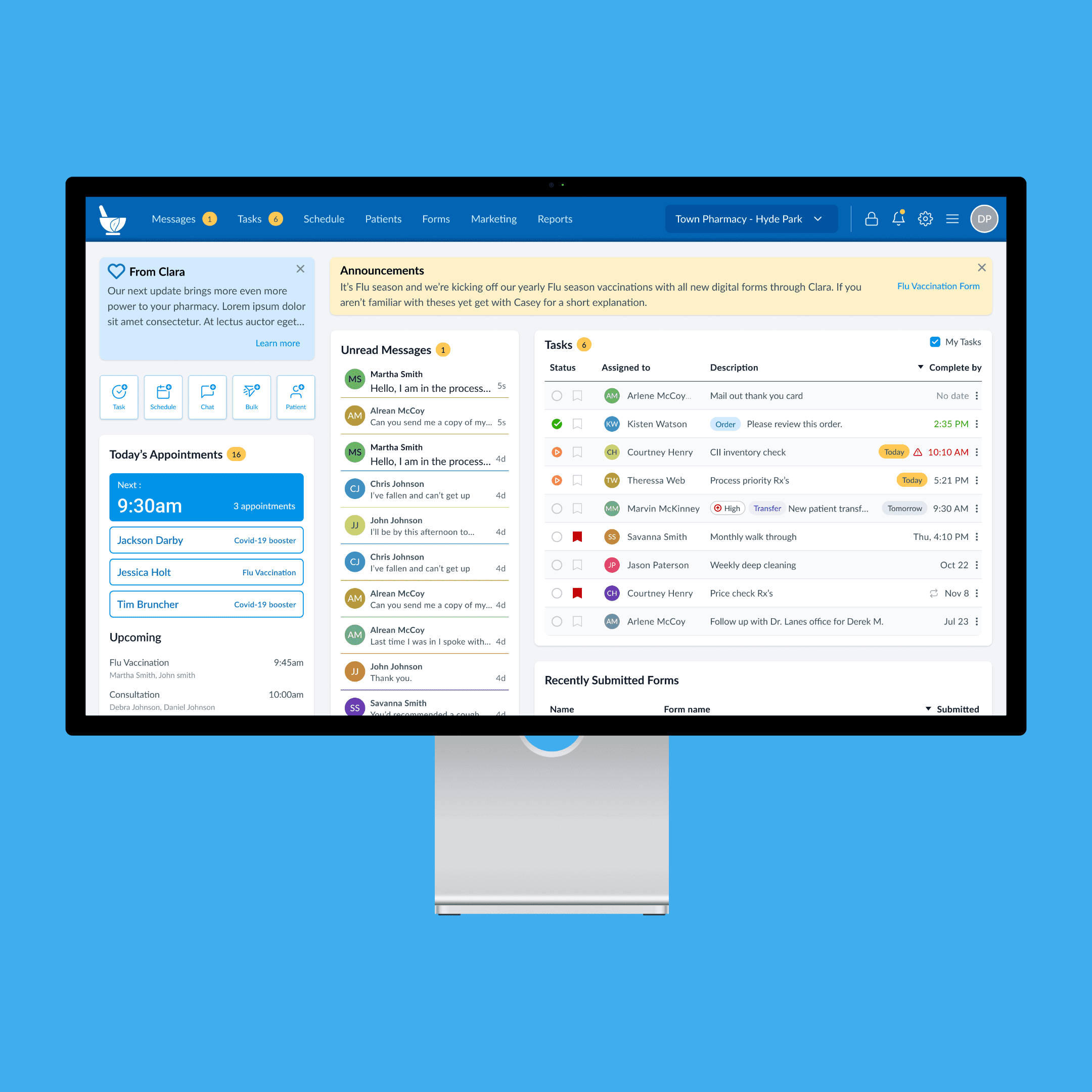
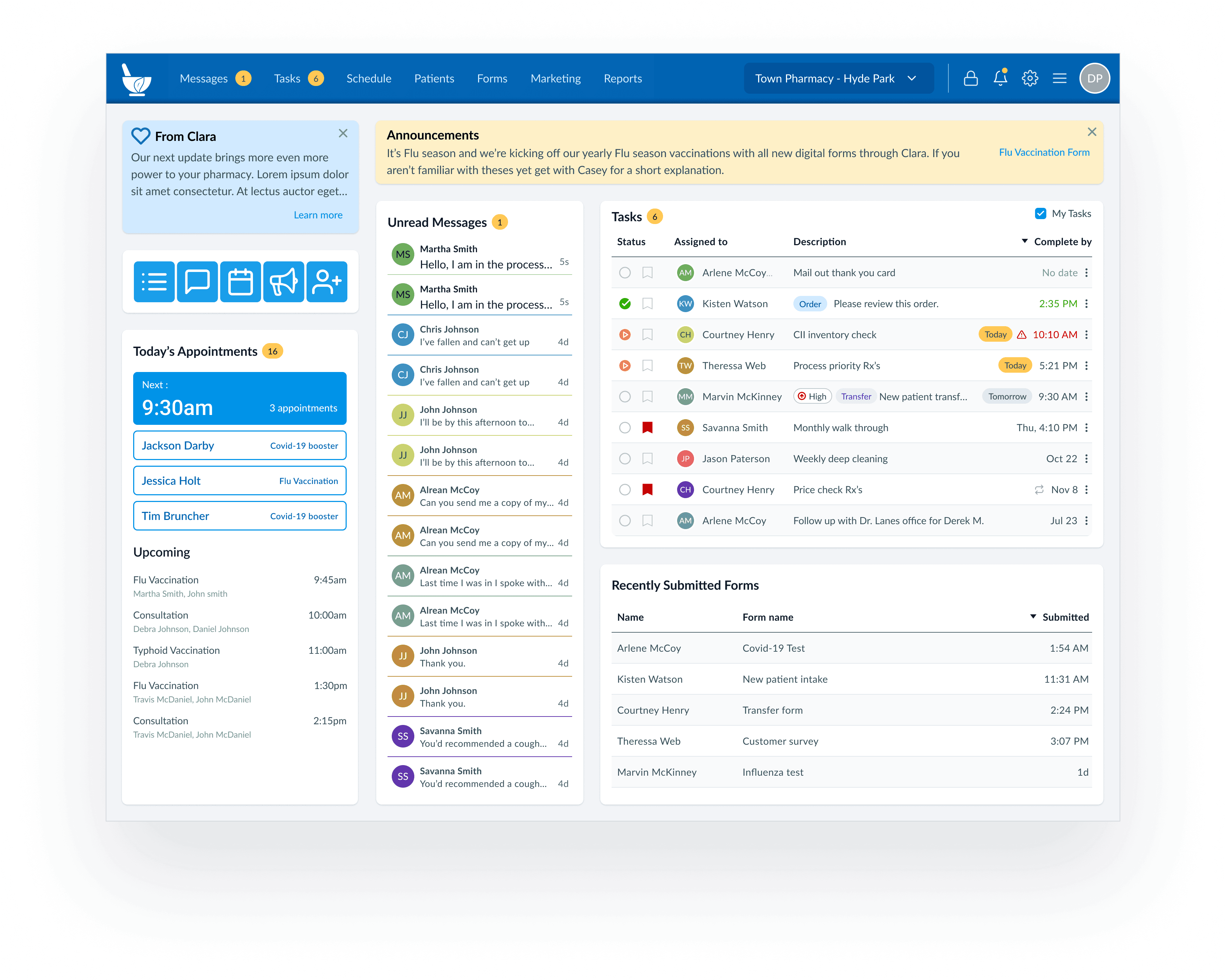
For the actual interface, I saw a lot of value in creating a flexible system which could adapt to evolving needs. I came up with a modular design that put each major feature into it’s own section on the screen, similar to popular bento style designs of the time. Each module could be easily resized by engineering allowing for fast iterations and in the future possible customization by users. Inside each module I used stripped down versions of the same components used in other areas of the product. This reduced engineering cost and provided users with a simplified, more accessible version of each major feature.
Progression
First version approved by stakeholders.
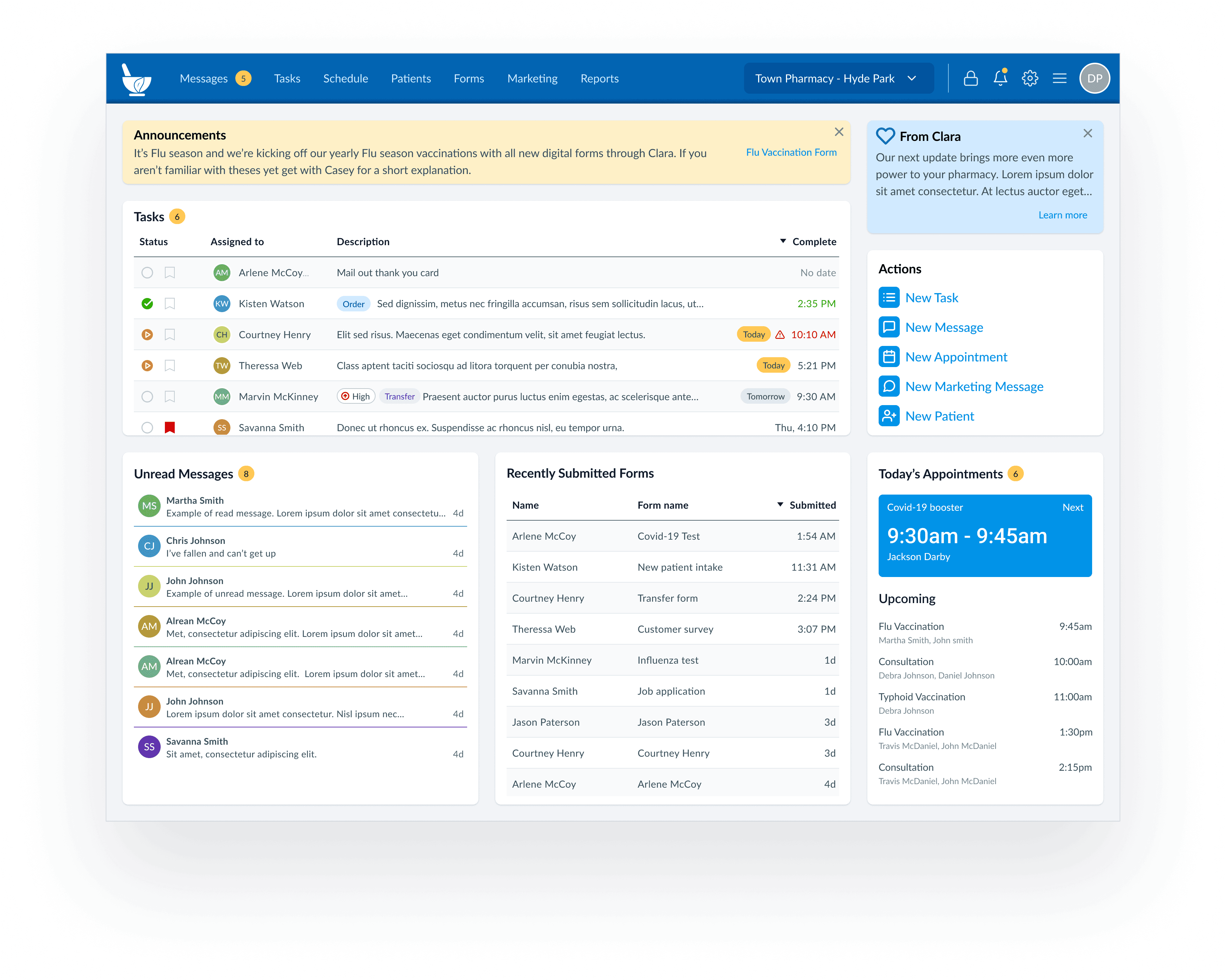
Updates based on sessions with customer advisory board and in-house pharmacy experts.
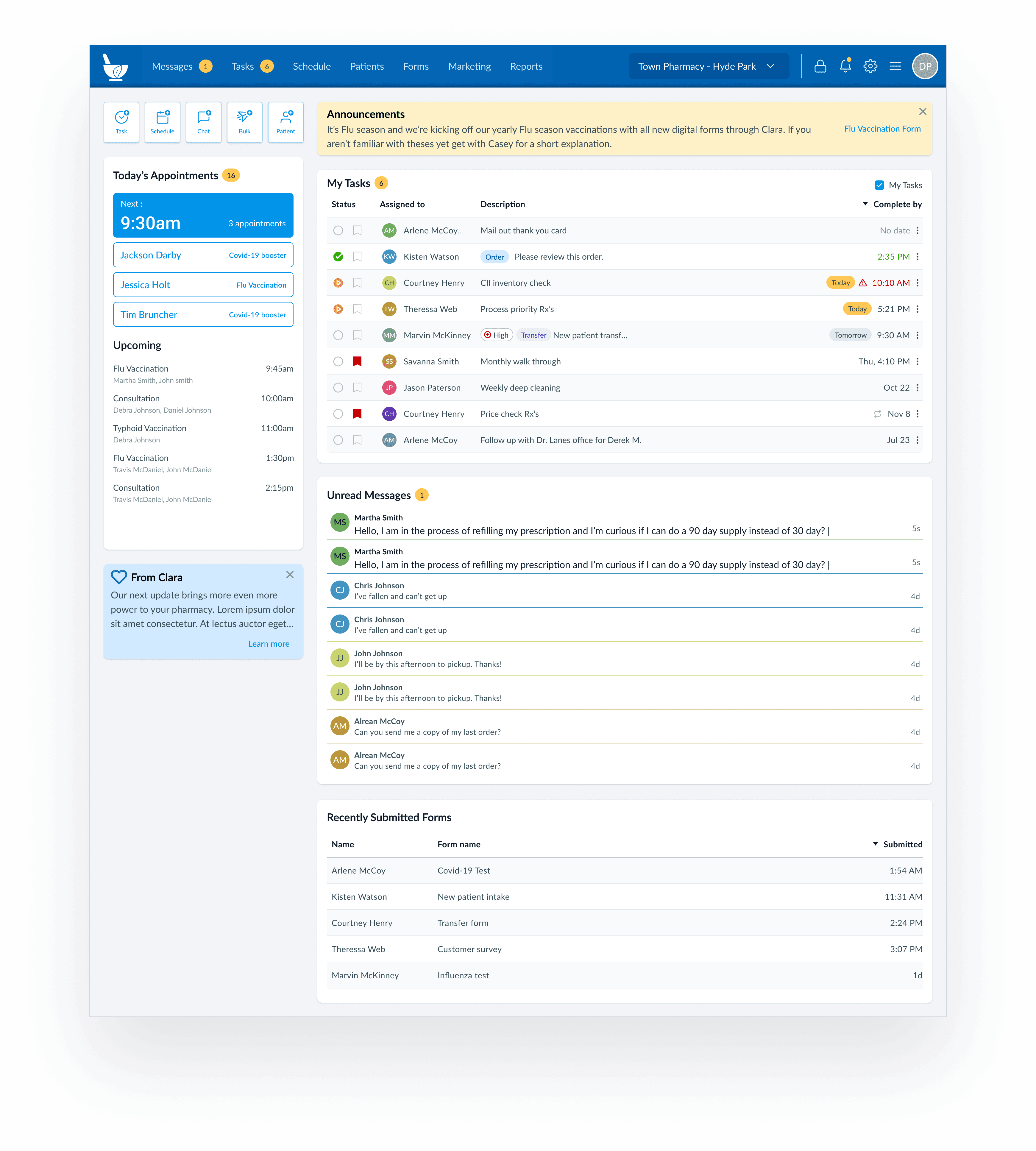
Version implemented at launch, simplified layout reduces strain on engineering resources but removes some modules form users immediate sight.
Testing insights
After multiple 1x1 sessions with each in-house pharmacist and a deep-dive with the Customer Advisory Board, I learned the follow:
Nearly everyone preferred the the traditional F-pattern layout, for mixed reasons
4/6 CAB members and 2/4 in-house experts wanted to see more messages at once, 2 referenced Teams
Nearly everyone thought the Forms module deserved less screen space
The Appointments module needed a way to show concurrent bookings and lacked scalability in high volume edge cases
Next steps
Through out testing the feedback we consistently got was that users wanted to be able to customize their dashboard in a "Drag & Drop" type of interaction. At this time this work is slated as a future improvement. Additionally, I’m very interested in learning about the experience of our users who fit the pharmacy technician persona. At this point I’ve had very limited access to people in this role and expect them to play a key part in the product’s growth.